Find memory leaks
in JavaScript
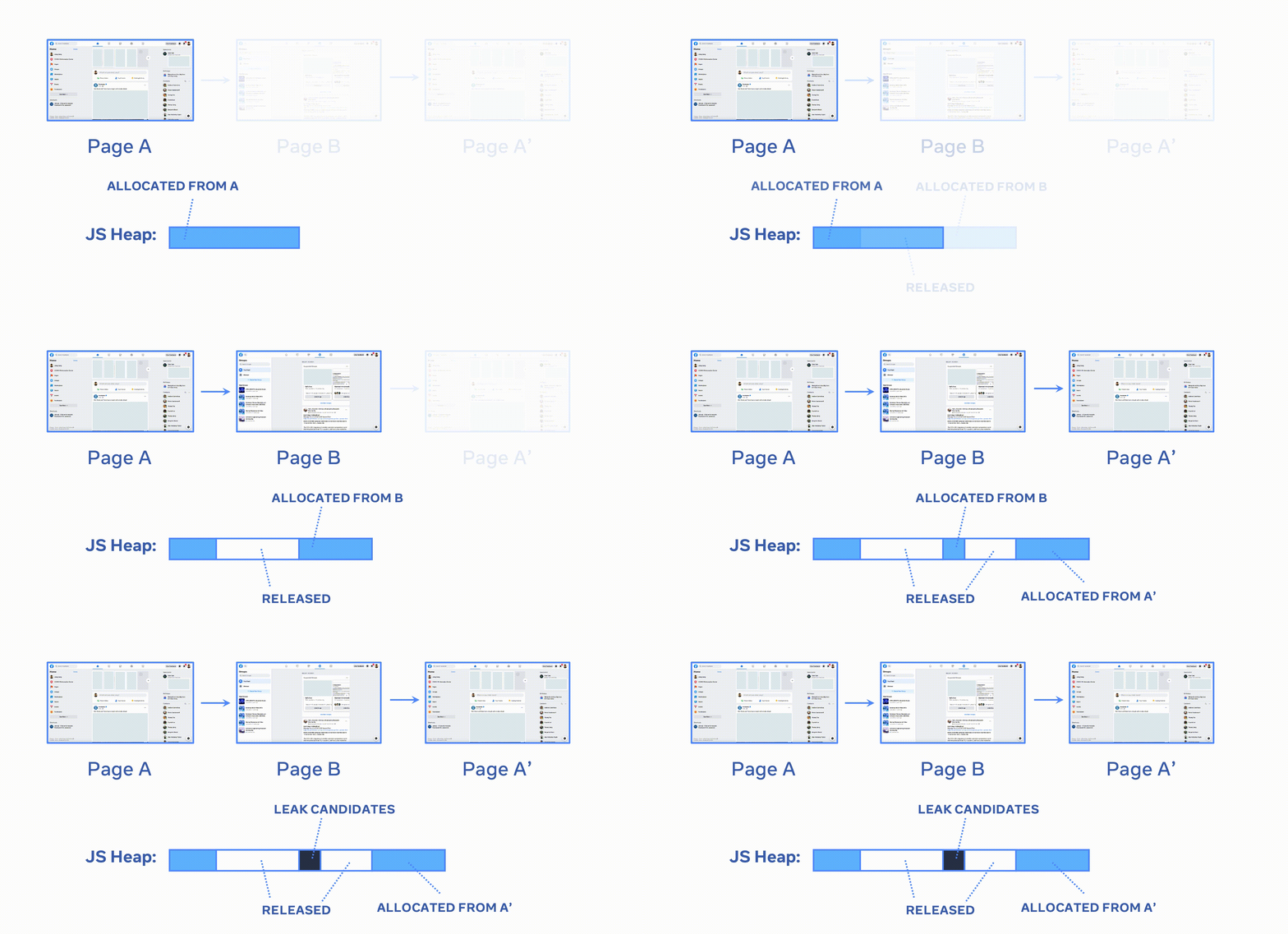
memlab drives your app in a real browser, diffs the heap snapshots, and shows you the exact reference chain keeping leaked objects alive. Works with heap snapshots from Chromium, Node.js, Electron, and Hermes.
$ npm install -g memlab$ memlab run --scenario test.jsMemLab found 46 leak(s)--Similar leaks in this run: 4----Retained size of leaked objects: 8.3MB--[Window](native) @35847 [8.3MB]--20 (element)---> [InternalNode](native) @130981728--1 (element)---> [EventListener](native) @131009888--context (internal)---> [<function scope>](object) @181905--bigArray (variable)---> [Array](object) @182925 [8.3MB]
Finding leaks in production at





Features
Everything you need to chase down memory
From automated end-to-end leak detection to low-level heap analysis — in the browser, in Node.js, and in CI.
Browser leak detection
Drive your app with the Puppeteer API. memlab diffs the heap snapshots, filters out the noise, and hands you the retainer trace of what actually leaked.
- WindowGC root
- .eventBusEventBusobject
- .listenersArrayobject
- .[0]handleThemeChange()closure
- .dialogSettingsDialogcaptured variable
- .containerDetached <div class="settings">1,205 detached nodes7.4MB
MCP server for AI agents
Hand heap snapshots to Claude Code, Cursor, or any MCP client and investigate memory in plain English.
Heap traversal API
An object-oriented API over snapshots from Chromium, Node.js, Electron.js, and Hermes — build your own leak detectors.
Memory CLI toolbox
Built-in analyses for duplicate strings, oversized objects, and unbound growth — optimization wins beyond leaks.
MemLens debugging
Visualize leaks and debug them interactively in the browser, without leaving the page you are testing.
Assertions in Node.js
Let unit tests snapshot their own heap and assert that objects are gone — catch regressions in CI, not in production.
How it works
Three steps to a leak trace
Write a scenario, run it, and read the reference chain that keeps your objects alive.
Define your test
Describe the interaction you want to check for leaks.
function url() {return 'https://www.google.com/maps';}async function action(page) {await page.click('text/Hotels');}async function back(page) {await page.click('[aria-label="Close"]');}module.exports = {action, back, url};
Run memlab in the CLI
One command drives the browser and reports leak traces.
$ memlab run --scenario test.js# Analyze duplicated strings in the heap$ memlab analyze string# Check unbound object growth$ memlab analyze unbound-object# Get shapes with unbound growth$ memlab analyze unbound-shape# Discover more memory analyses$ memlab analyze -h
Or use the API
Take snapshots and find leaks programmatically.
const {findLeaks, takeSnapshots} =require('@memlab/api');async function test() {const scenario = {url: () => 'https://www.facebook.com',};const result = await takeSnapshots({scenario,});const leaks = findLeaks(result);// ...}
Retainer traces
See exactly what is holding memory
memlab walks the reference chain from the GC root down to the leaked object, so you know which reference to break instead of guessing. Similar leaks are clustered, so 46 leaked objects become a handful of real bugs to fix.
- Detached DOM and unmounted React fibers, flagged
- Leaks clustered by retainer trace similarity
- Retained sizes, so you fix the biggest first